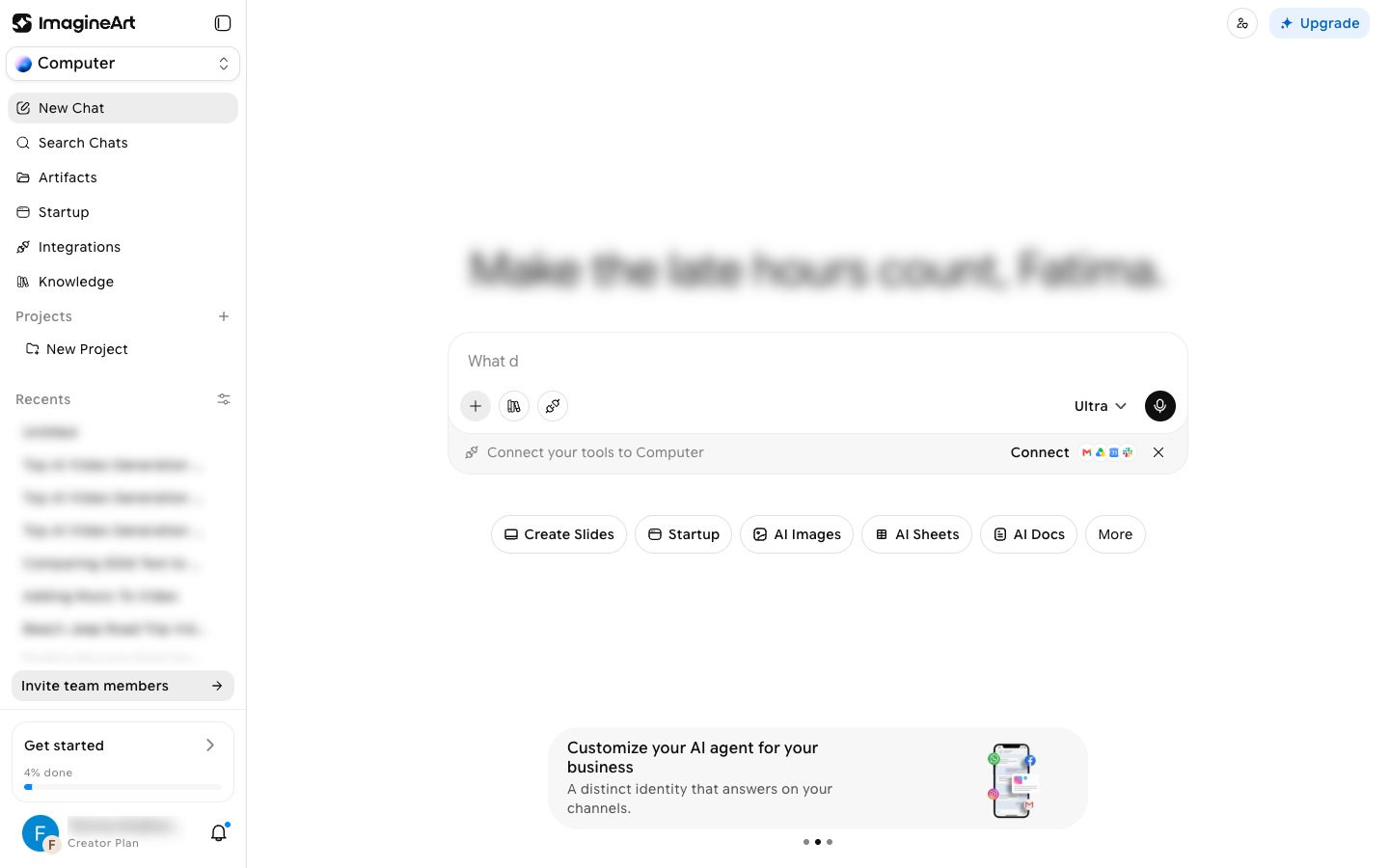
Imagine Computer is ImagineArt’s agentic AI product (internally called OmniAgent). Instead of a single prompt-in, result-out generation, you give it a goal — research something, write a document, work across your connected apps — and it plans the steps, runs them, and hands you back a real result.
Imagine Computer chat home showing the sidebar, the prompt box with the Ultra model tier control, and the Create Slides, Startup, AI Images, AI Sheets, AI Docs, and More mode pills

What you can do with it

  • Run agent tasks — describe a goal, review or edit the plan, and let it research, browse, and write for you.
  • Connect your tools — link real accounts (Slack, Notion, Gmail, GitHub, and 30 more) so the agent can act on your actual data.
  • Customize — give it your own files to reference, let it remember facts across chats, and build a custom personality.
  • Schedule recurring work — set a task to run on a repeating schedule instead of triggering it by hand every time.

Entry point

Open imagine.art/computer to go to the main chat view. You can also reach Imagine Computer by choosing Computer in the workspace switcher at the top of the ImagineArt sidebar, or from Imagine Computer in the sidebar tool list.
Imagine Computer is genuinely autonomous, and that comes with a real, observed failure mode: a task can report “Done” while the actual written content is missing or incomplete (see Running a task). Always check the actual output before trusting a “completed” status.