

How credits work
ImagineArt operates on a monthly credit assignment cycle. Every subscription tier receives credits at the beginning of each monthly period, regardless of whether you are on a monthly, quarterly, or annual plan.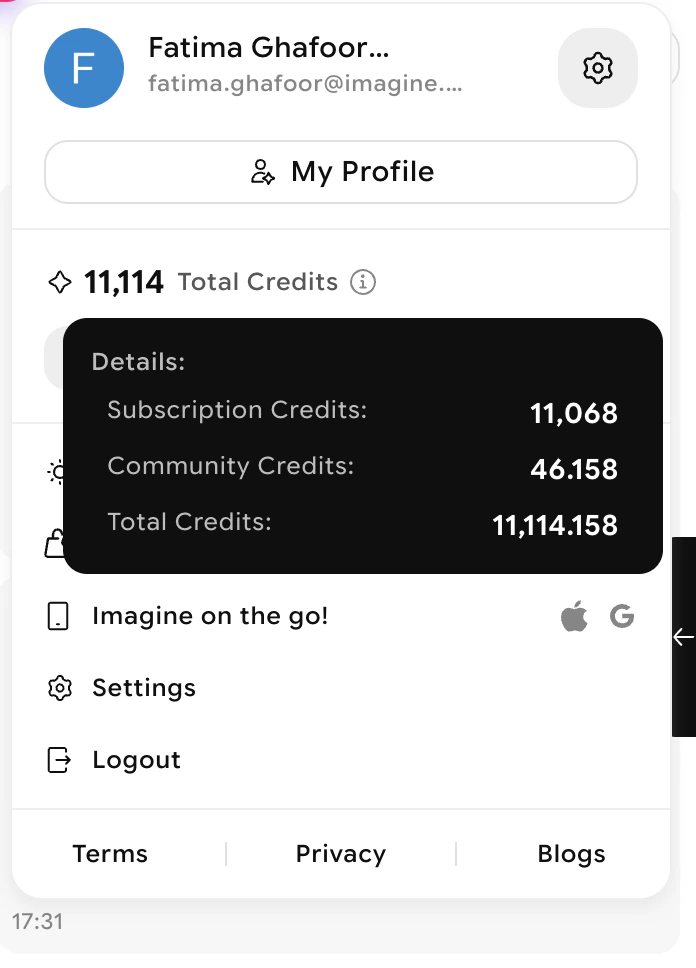
Credit distribution by plan type
All plans receive credits on a monthly basis — the commitment period determines your billing cycle, not when credits arrive.
No-rollover policy
To get the most value from your plan, select a tier that matches your typical monthly usage. You can view your current balance and the days left until your credits reset in Settings > Plan & Billing.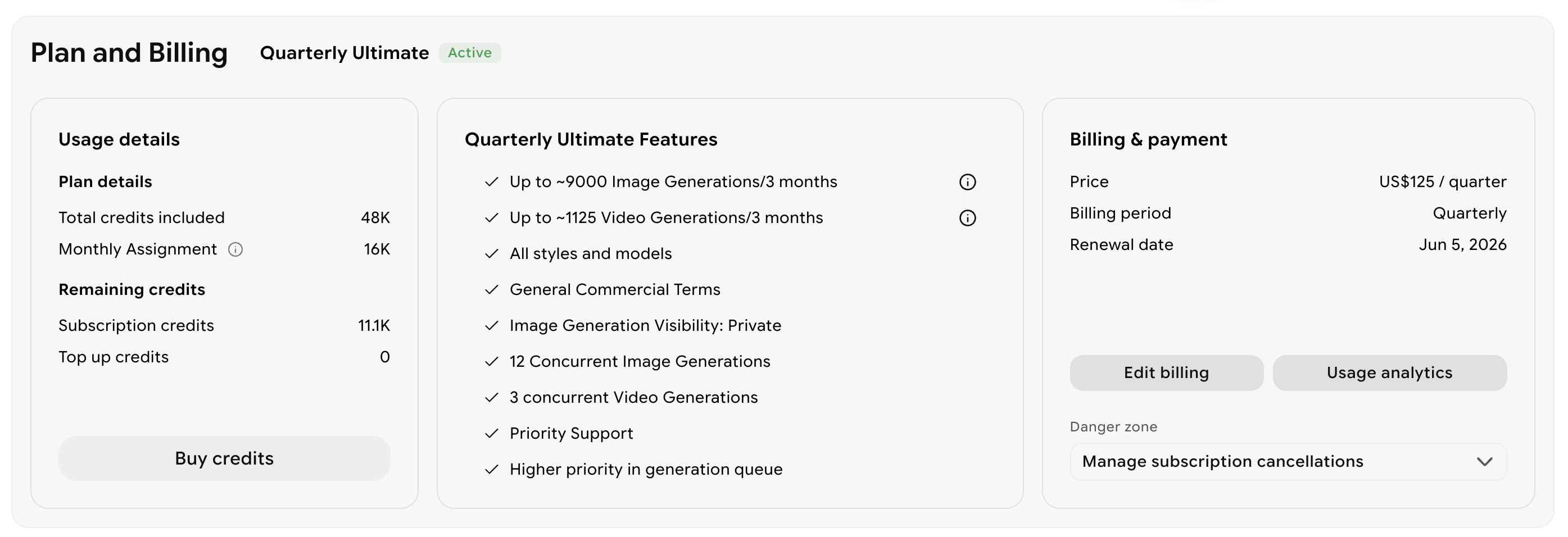
Options when credits run out
If you use all your credits before the monthly cycle resets, you have three options:Wait for automatic renewal
Wait for automatic renewal
Your credits automatically replenish at the start of your next monthly cycle. You can check the exact reset date under Days left until credits reset in Settings > Plan & Billing.
Purchase a credit top-up
Purchase a credit top-up
Buy a one-time credit pack to continue generating without waiting for your cycle to reset. Click Buy credit packs in Settings > Plan & Billing, or pick a pack under Buy Credit Packs in your team’s credits card. Click See all options to view every pack.You can also turn on Auto Top-up, which automatically adds credits when your balance runs low.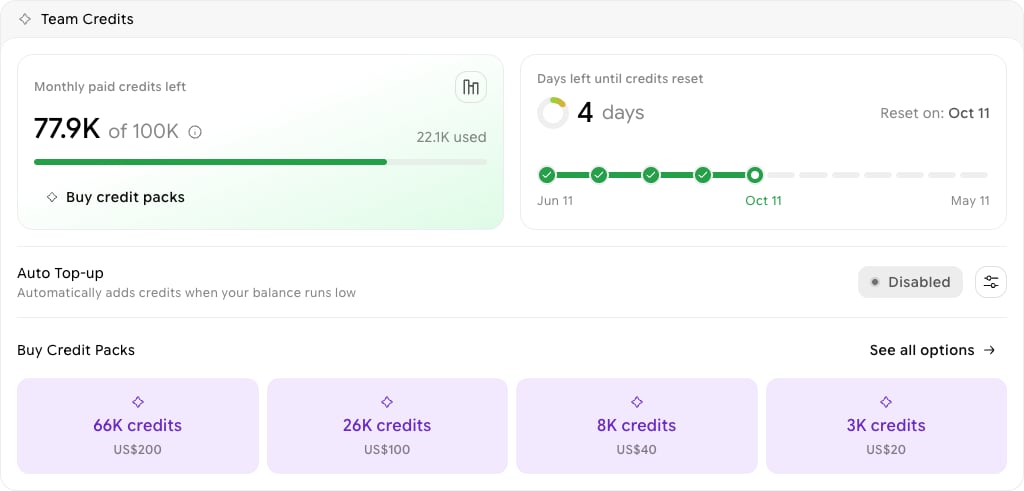
Upgrade your plan
Upgrade your plan
If you consistently run out of credits before your cycle ends, upgrading to a higher tier gives you a larger monthly credit allotment. See Upgrading or Downgrading Your Subscription for steps.