

Get more visible
Showcasing your work on ImagineArt allows you to gain visibility, build your portfolio, and connect with a global audience. Whether you’re a professional artist or a hobbyist, this platform is your space to display your best creations and inspire others.How to Showcase Your Work
1
Publish Your Assets
Upload your best images, videos, or AI-generated content directly to your profile. Choose between 2K or 4K resolution for higher quality.
2
Curate Your Portfolio
Select your top assets to highlight on your profile. Curate your work to reflect your style and expertise.
3
Engage with the Community
Interact with other creators by liking, commenting, and sharing feedback on their work. Build connections and inspire others.
Share an asset with a link
Use the Share Generation panel to send one of your creations to anyone, even people who don’t use ImagineArt. The panel creates a public link to the asset. You can copy it or post it straight to a social network. You can open the panel from an asset card or from the full view of an asset.1
Open the share panel from an asset card
Go to Assets and hover over the asset you want to share. Click More actions (the three-dot icon), then select Share.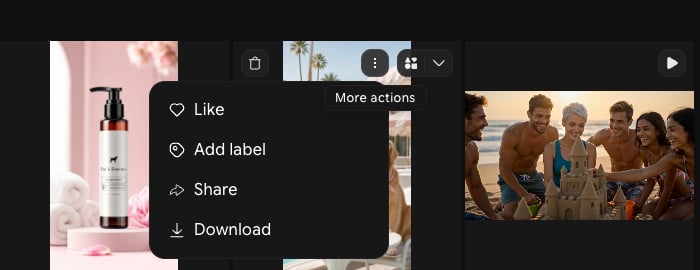
2
Choose how to share
The Share Generation panel opens next to the asset. Pick one of these options: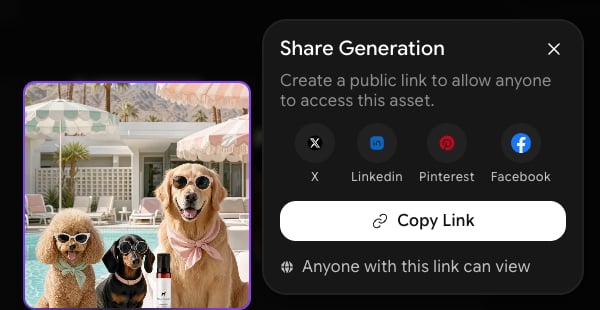
- Click X, Linkedin, Pinterest, or Facebook to open that site’s share page with a link to your asset.
- Click Copy Link to copy the link and paste it anywhere.
3
Or share from the full view
Click an asset to open it in full view. Click the Share icon at the top of the details panel, next to the three-dot menu. The same Share Generation panel opens.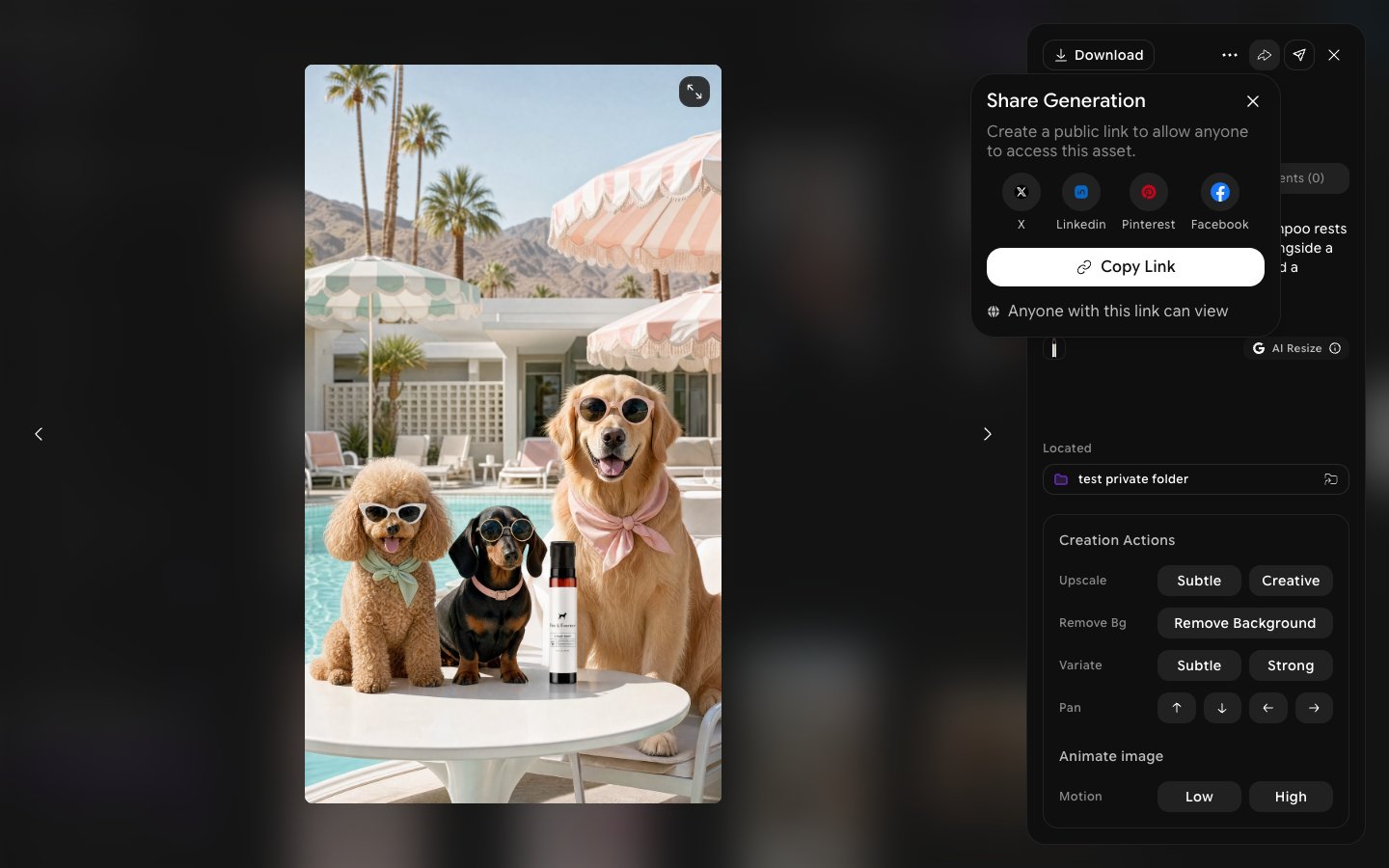
What Happens After You Publish?
Once you publish your assets:- Get Feedback: Community members can like, download, add to collection and follow your work.
- Increase Engagement: More interaction can lead to higher exposure and more downloads.
- Monetize: Earn credits every time someone downloads your asset in 2K or 4K quality.
Showcasing your work on ImagineArt is an essential step in building your presence, gaining recognition, and engaging with a global creative community. Start uploading and share your creations with the world today!