

How it works
Share your invite link
1
Open Share ImagineArt
Click your profile picture in the top-right corner of the platform, then select Share ImagineArt.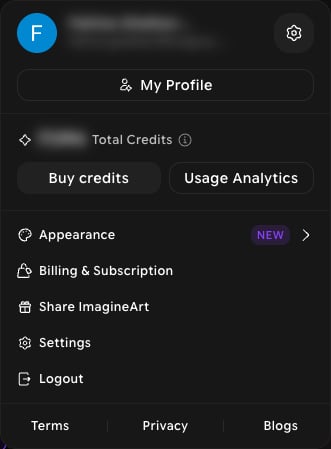
2
Copy your link or send invites by email
The Spread the love window opens. You can share in two ways: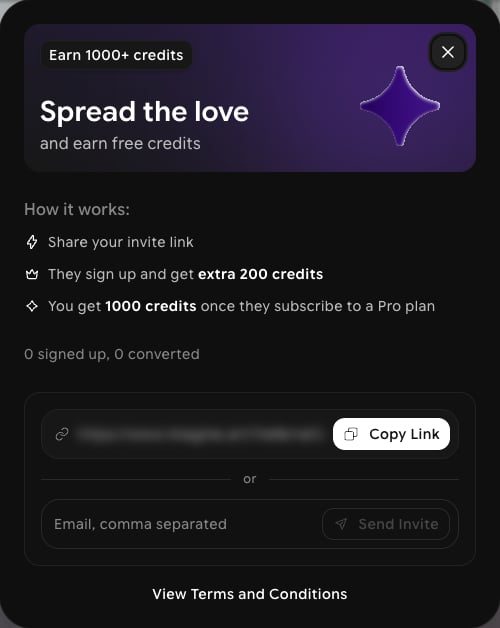
- Copy Link: copies your personal invite link so you can paste it anywhere.
- Send Invite: enter one or more email addresses, separated by commas, and click Send Invite.
3
Track your referrals
The same window shows how many people have signed up with your link and how many have converted to a paid plan. Open Share ImagineArt any time to check your progress.
Referral rewards are subject to the program terms. Click View Terms and Conditions at the bottom of the Spread the love window to read them.