> ## Documentation Index
> Fetch the complete documentation index at: https://docs.imagine.art/llms.txt
> Use this file to discover all available pages before exploring further.
# What is Imagine Computer?
> An agentic AI assistant that plans and runs multi-step tasks for you — research, documents, connected tools, and scheduled work.
Imagine Computer is ImagineArt's agentic AI product (internally called OmniAgent). Instead of a single prompt-in, result-out generation, you give it a goal — research something, write a document, work across your connected apps — and it plans the steps, runs them, and hands you back a real result.
 ## What you can do with it
* **[Run agent tasks](/imagine-computer/running-a-task)** — describe a goal, review or edit the plan, and let it research, browse, and write for you.
* **[Connect your tools](/imagine-computer/connectors)** — link real accounts (Slack, Notion, Gmail, GitHub, and 30 more) so the agent can act on your actual data.
* **[Customize](/imagine-computer/customize)** — give it your own files to reference, let it remember facts across chats, and build a custom personality.
* **[Schedule recurring work](/imagine-computer/scheduled-tasks)** — set a task to run on a repeating schedule instead of triggering it by hand every time.
## Entry point
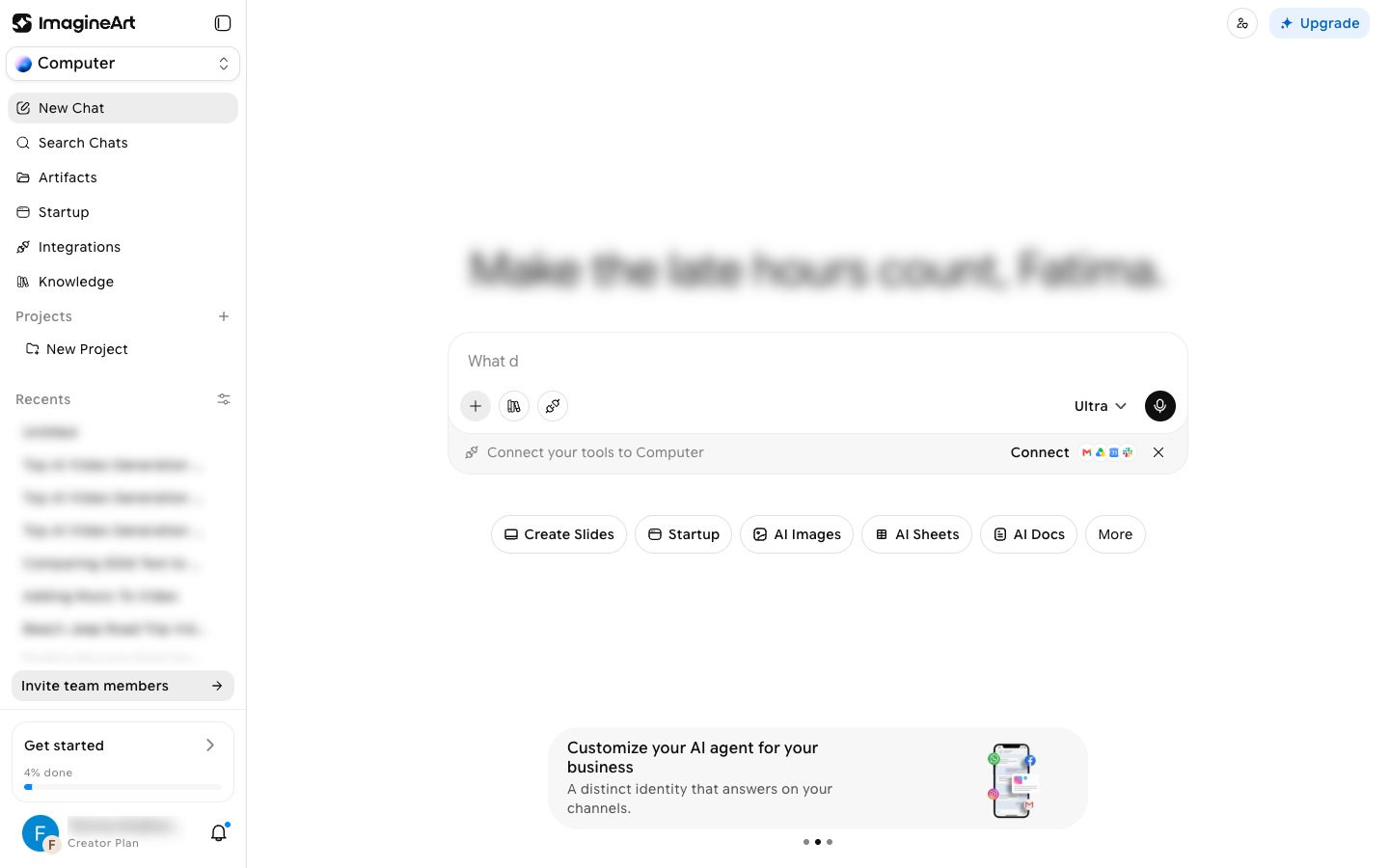
Open **imagine.art/computer** to go to the main chat view. You can also reach Imagine Computer by choosing **Computer** in the workspace switcher at the top of the ImagineArt sidebar, or from **Imagine Computer** in the sidebar tool list.
Imagine Computer is genuinely autonomous, and that comes with a real, observed failure mode: a task can report "Done" while the actual written content is missing or incomplete (see [Running a task](/imagine-computer/running-a-task#a-real-failure-mode-to-watch-for)). Always check the actual output before trusting a "completed" status.
This documentation is built and hosted on [Mintlify](https://mintlify.com), a developer documentation platform.
## What you can do with it
* **[Run agent tasks](/imagine-computer/running-a-task)** — describe a goal, review or edit the plan, and let it research, browse, and write for you.
* **[Connect your tools](/imagine-computer/connectors)** — link real accounts (Slack, Notion, Gmail, GitHub, and 30 more) so the agent can act on your actual data.
* **[Customize](/imagine-computer/customize)** — give it your own files to reference, let it remember facts across chats, and build a custom personality.
* **[Schedule recurring work](/imagine-computer/scheduled-tasks)** — set a task to run on a repeating schedule instead of triggering it by hand every time.
## Entry point
Open **imagine.art/computer** to go to the main chat view. You can also reach Imagine Computer by choosing **Computer** in the workspace switcher at the top of the ImagineArt sidebar, or from **Imagine Computer** in the sidebar tool list.
Imagine Computer is genuinely autonomous, and that comes with a real, observed failure mode: a task can report "Done" while the actual written content is missing or incomplete (see [Running a task](/imagine-computer/running-a-task#a-real-failure-mode-to-watch-for)). Always check the actual output before trusting a "completed" status.
This documentation is built and hosted on [Mintlify](https://mintlify.com), a developer documentation platform.