> ## Documentation Index
> Fetch the complete documentation index at: https://docs.imagine.art/llms.txt
> Use this file to discover all available pages before exploring further.
# Copyright Checker
> Check images and videos for potential copyright or trademark issues before they go live.
## Summary
The Copyright Checker nodes scan a creative for copyright or trademark risk before you publish it. There are two nodes, one for images and one for videos, so you can check a still or a clip directly inside a workflow instead of reviewing it manually afterward.
| Node | Accepts |
| - | - |
| **Image Copyright Checker** | PNG, JPG, or WEBP files, up to 30MB |
| **Video Copyright Checker** | MP4, MOV, or WEBM files, up to 30MB and 60 seconds |
## How to Use
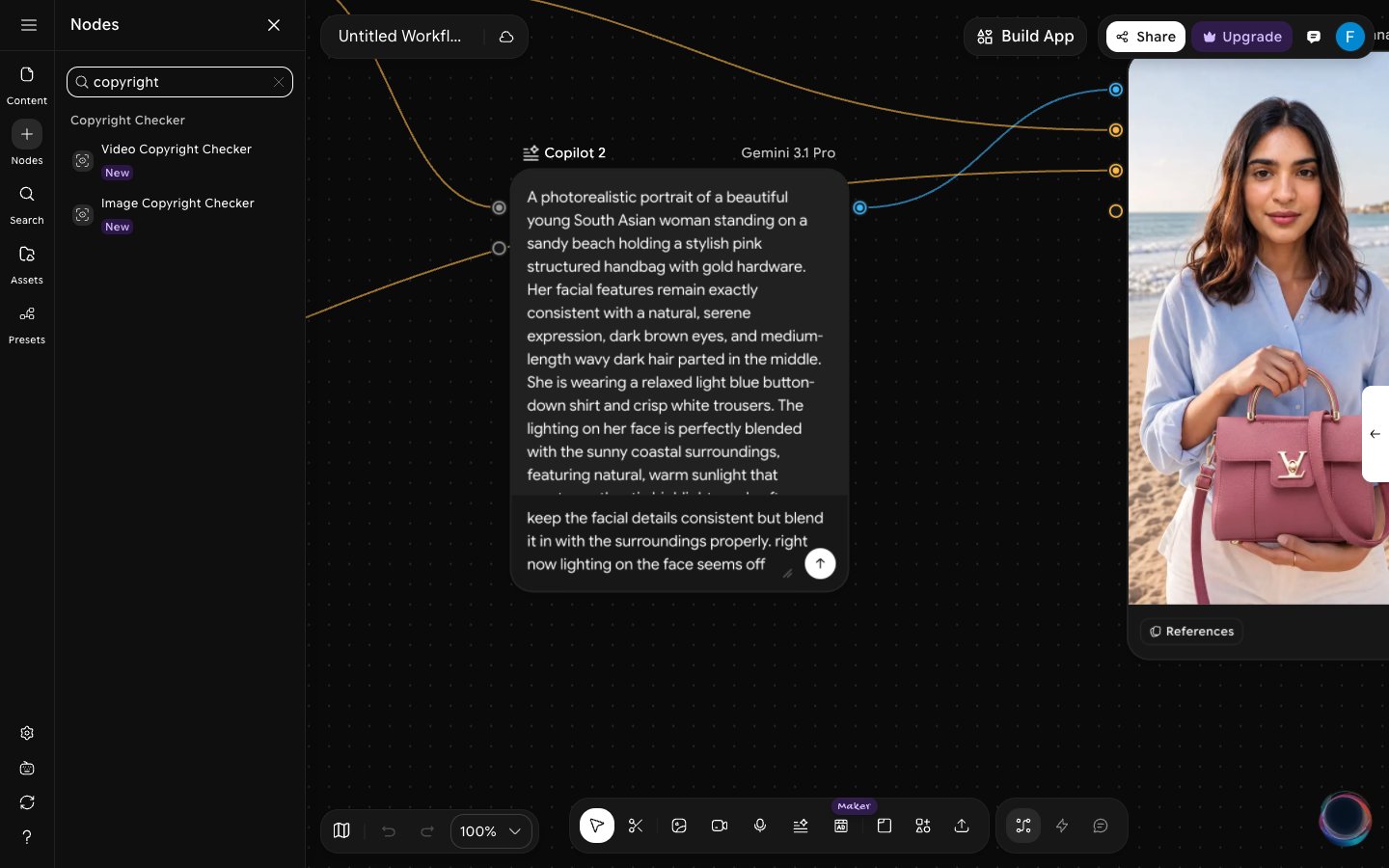
Click **Nodes** in the left panel and search for `copyright`. Under **Copyright Checker**, select **Image Copyright Checker** or **Video Copyright Checker**.
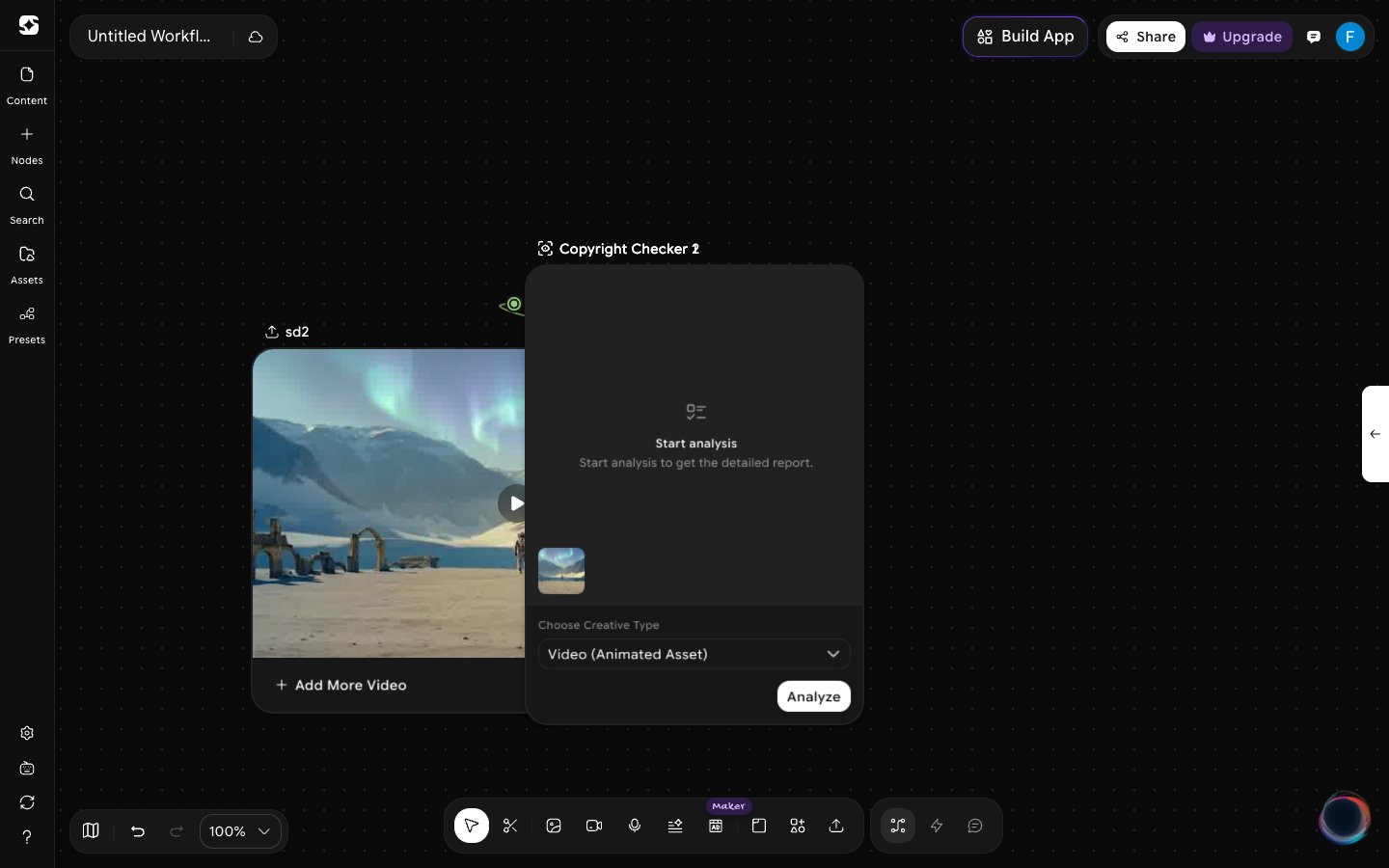
 Connect an image or video from another node, such as **Upload**, **Generate Image**, or **Generate Video**. You can also drag from the node's input handle onto the canvas and pick **Upload** to add a file.
Use the **Choose Creative Type** dropdown to specify what you're checking: **Image (Static Asset)** or **Video (Animated Asset)**.
Hover over **Analyze** to see the credit cost, then click **Analyze** to run the check and get a detailed report.
Connect an image or video from another node, such as **Upload**, **Generate Image**, or **Generate Video**. You can also drag from the node's input handle onto the canvas and pick **Upload** to add a file.
Use the **Choose Creative Type** dropdown to specify what you're checking: **Image (Static Asset)** or **Video (Animated Asset)**.
Hover over **Analyze** to see the credit cost, then click **Analyze** to run the check and get a detailed report.
 These nodes flag potential copyright/trademark risk — they're a screening aid, not a legal clearance. Review anything they flag before publishing.
## Sample Use Cases
Route a finished image or video through a Copyright Checker node before it reaches an export or publish node, catching obvious risks early in the workflow.
Check an uploaded reference image or video before using it as the basis for further generation, to avoid building on something risky.
This documentation is built and hosted on [Mintlify](https://mintlify.com), a developer documentation platform.
These nodes flag potential copyright/trademark risk — they're a screening aid, not a legal clearance. Review anything they flag before publishing.
## Sample Use Cases
Route a finished image or video through a Copyright Checker node before it reaches an export or publish node, catching obvious risks early in the workflow.
Check an uploaded reference image or video before using it as the basis for further generation, to avoid building on something risky.
This documentation is built and hosted on [Mintlify](https://mintlify.com), a developer documentation platform.